Crafted transcoding & color science
Transcode and re-wrap footage into high quality editable formats. Get the best results without a complicated setup. Carefully selected defaults mean you're up and running in no time.
Great workflows start with great apps
Since 2008, EditReady has had your back when your NLE doesn’t support your camera’s file format. And now, we're turning it up a notch with EditReady Pro and Server!

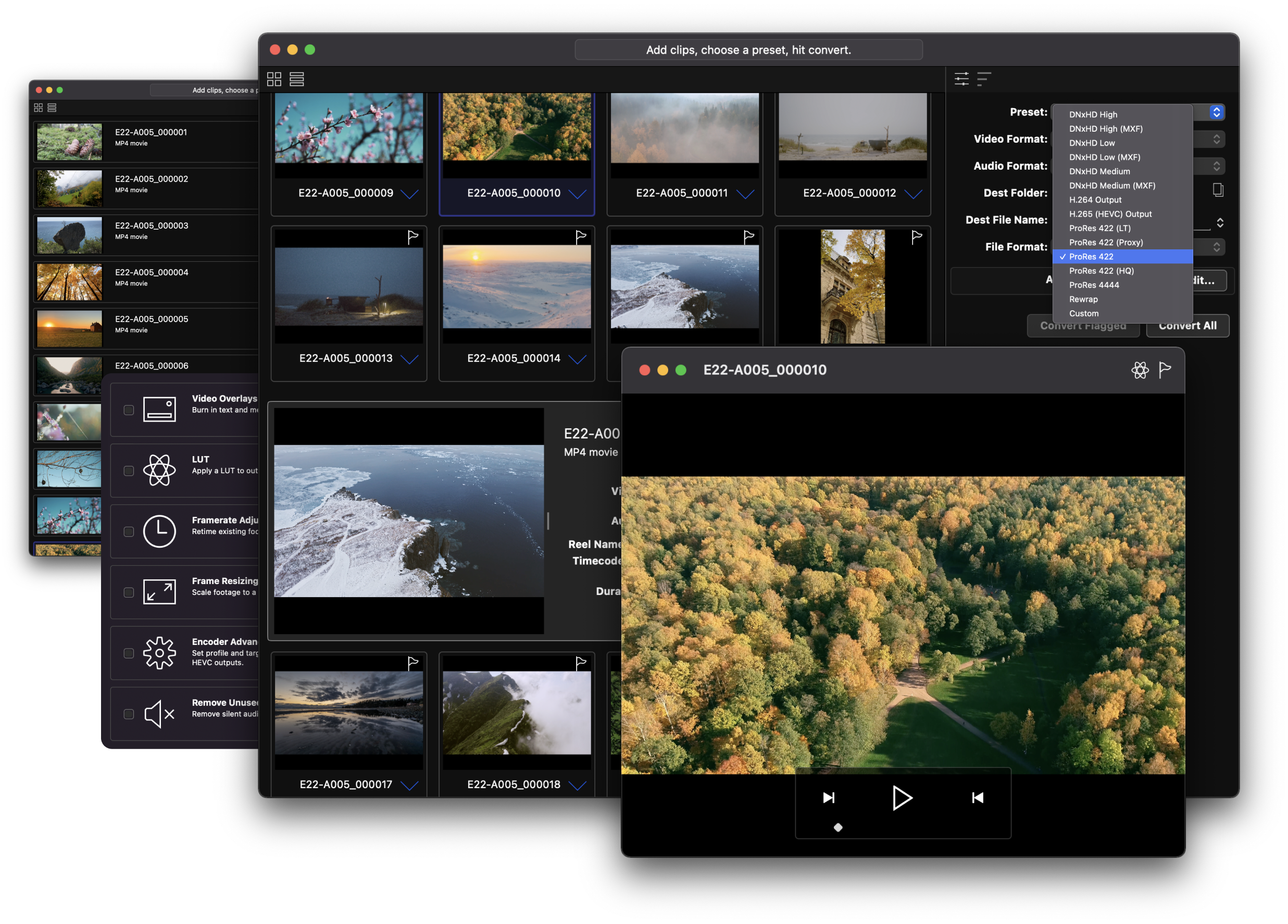
Transcode and re-wrap footage into high quality editable formats. Get the best results without a complicated setup. Carefully selected defaults mean you're up and running in no time.
As well as supporting just about every MOV, MXF, MP4, and Quicktime file, EditReady lets you work with all the popular RAW formats: Sony, RED, BRAW, ProRes RAW, ARRI RAW (inc. Super 35), and Canon RAW.
Built for speed and optimised for the power of both old and new Macs, EditReady works with all flavours of Apple silicon and GPU acceleration you can throw at it. From camera to your NLE, in record time.


"Obviously late to the game on this one, but absolutely love how fast EditReady is. Going to be my media transcoder of choice from here on out."
Using each manufacturers' original SDK wherever possible to ensure the best quality transcodes. No unofficial frameworks, and zero hacks. Every codec gets transcoded as its makers intended it to.
EditReady's transcoding engine is optimized to the fullest to make use of all the CPU and GPU power you have available. No need to fiddle with optiziming; EditReady automatically scales up if resources are available.
Each workflow is different, so EditReady has a wide range of mezzanine and proxy formats available to transcode your footage into: ProRes, DNxHD (Op1A and OpAtom), H.264, and H.265 (HVEC) give you all the flexibility you require.
EditReady lets you view and edit all of the metadata associated with your file, including location data, camera settings, and diagnostic information. Use metadata to automatically rename files, or burn data into overlays.
With RAW, accuracy is paramount. EditReady uses each vendor's specific RAW decoder, using the vendor preferred Log format to reflect the original shooting intent. The end result? A high quality proxy that's easy to edit with, with all the flexibility a non-RAW format carries.
When a shoot mixes camera formats, you'll end up with a variety of color spaces, Log types, HDR formats, and LUTs. EditReady's unique color pipeline make this a breeze, translating everything to what you need it to be, without compromises.
And there's more: screen your camera's original media files before you transcode them, apply a LUT to preview your Log media with or without a specific predetermined look, check your previewed clip in ScopeBox via our integrated ScopeLink connection, and set In and Out points to avoid transcoding unwanted parts of your clips.
Use the overlay editor to position graphical elements for compositing on top of your video. Import images with alpha channels to apply complex bugs or watermarks. Layout custom formatted text, including metadata values from the source media. Use the overlay tool to burn-in timecode, reel names, shoot dates, media names, and other metadata.
An EditReady license is perpetual, works on Mac, and includes a year of updates and support.
When trialing, EditReady will convert the first minute of any of your clips.
Need a trial for EditReady Server? Reach out.
Can we email you, just once?